|
123456789101112131415161718192021222324252627282930313233343536373839404142434445464748495051525354555657585960616263646566676869707172737475767778798081828384858687888990919293949596979899100101102103104105106107108109110111112113114115116117118119120121122123124125126127128129130131132133134135136137138139140141142143144145146147148149150151152153154155156157158159160161162163164165 |
- English | [简体中文](README-zh_CN.md)
-
- <p align="center">
- <a href="https://www.attojs.org">
- <img
- width="150"
- src="https://raw.githubusercontent.com/AttoJS/art/master/vue-request-logo.png"
- alt="VueRequest logo"
- />
- </a>
- </p>
- <h1 align="center">VueRequest</h1>
- <div align="center">
- <p align="center">⚡️ Vue 3 composition API for data fetching, supports SWR, polling, error retry, cache request, pagination, etc.</p>
- <a href="https://codecov.io/github/attojs/vue-request?branch=master">
- <img
- src="https://img.shields.io/codecov/c/github/attojs/vue-request?token=NW2XVQWGPP"
- alt="Coverage Status"
- />
- </a>
- <a href="https://www.npmjs.com/package/vue-request">
- <img src="https://img.shields.io/bundlephobia/minzip/vue-request/latest" alt="Size" />
- </a>
- <a href="https://www.npmjs.com/package/vue-request">
- <img src="https://img.shields.io/npm/v/vue-request" alt="Version" />
- </a>
- <a href="https://www.npmjs.com/package/vue-request">
- <img src="https://img.shields.io/github/languages/top/attojs/vue-request" alt="Languages" />
- </a>
- <a href="https://www.npmjs.com/package/vue-request">
- <img src="https://img.shields.io/npm/l/vue-request" alt="License" />
- </a>
- <a href="https://github.com/AttoJS/vue-request/stargazers">
- <img src="https://img.shields.io/github/stars/attojs/vue-request" alt="Star" />
- </a>
- <a href="https://www.npmjs.com/package/vue-request">
- <img src="https://img.shields.io/npm/dm/vue-request" alt="Download" />
- </a>
- </div>
-
- ## Why VueRequest
-
- In the past projects, they were often confused by repeated implementations such as the management of the loading state, the requested throttling and debounce, the caching of request data, and pagination. Whenever we start a new project, we have to manually deal with the above problems, which will be a repetitive work, but also to ensure that the team is consistent.
-
- VueRequest aims to provide developers with a convenient and fast way to manage the state of the request API. In the development, save repetitive work, and it can be used only with a simple configuration, focusing on the core of the development project.
-
- ## Features
-
- - 🚀 All data is reactive
- - 🔄 Interval polling
- - 🤖 Automatic error retry
- - 🗄 Built-in cache
- - 💧 Throttle and Debounce
- - ⚙️ Powerful pagination extension and load more extensions
- - 📠 Written in TypeScript
- - ⚡️ Compatible with Vite
- - 🍃 Lightweight
- - 📦 Out of the box
-
- ## Documentation
-
- - [English](https://www.attojs.org/)
- - [中文文档](https://www.attojs.com/)
-
- ## Install
-
- You can install VueRequest with [NPM](https://www.npmjs.com/), [YARN](https://yarnpkg.com/), or a `<script>` via [unpkg.com](https://unpkg.com/)
-
- ### NPM
-
- ```sh
- npm install vue-request
- # or
- yarn add vue-request
- ```
-
- ### CDN
-
- > For production, we recommend linking to a specific version number and build to avoid unexpected breakage from newer versions.
-
- ```html
- <script src="https://unpkg.com/vue-request/dist/vue-request.min.js"></script>
- ```
-
- Once you've added this you will have access to the `window.VueRequest` object and its exports.
-
- ## Usage
-
- ```vue
- <template>
- <div>
- <div v-if="loading">loading...</div>
- <div v-if="error">failed to fetch</div>
- <div v-if="data">Hey! {{ data }}</div>
- </div>
- </template>
-
- <script lang="ts">
- import { defineComponent } from 'vue';
- export default defineComponent({
- setup() {
- const { data, loading, error } = useRequest(service);
-
- return {
- data,
- loading,
- error,
- };
- },
- });
- </script>
- ```
-
- In this example, `useRequest` accepts a `service` function. `service` is a asynchronous function. In other words, you can use **axios** to fetch data and return a **Promise**. More specific instructions can be viewed in [document](https://www.attojs.org/guide/documentation/dataFetching.html).
-
- `useRequest` also return 3 values: `data`, `loading` and `error`. When the request is not yet finished, data will be `undefined` and `loading` will be `true`. And when we get a response, it sets data and error based on the result of service and rerenders the component. This is because `data` and `error` are [Reactivity(Refs)](https://v3.vuejs.org/guide/reactivity-fundamentals.html), and their values will be set by the service response.
-
- ## Some of the coolest features:
-
- VueRequest has many features, such as error retry, cache, pagination, throttle, debounce..., here are two cool features
-
- ### 1.Refresh On Focus
-
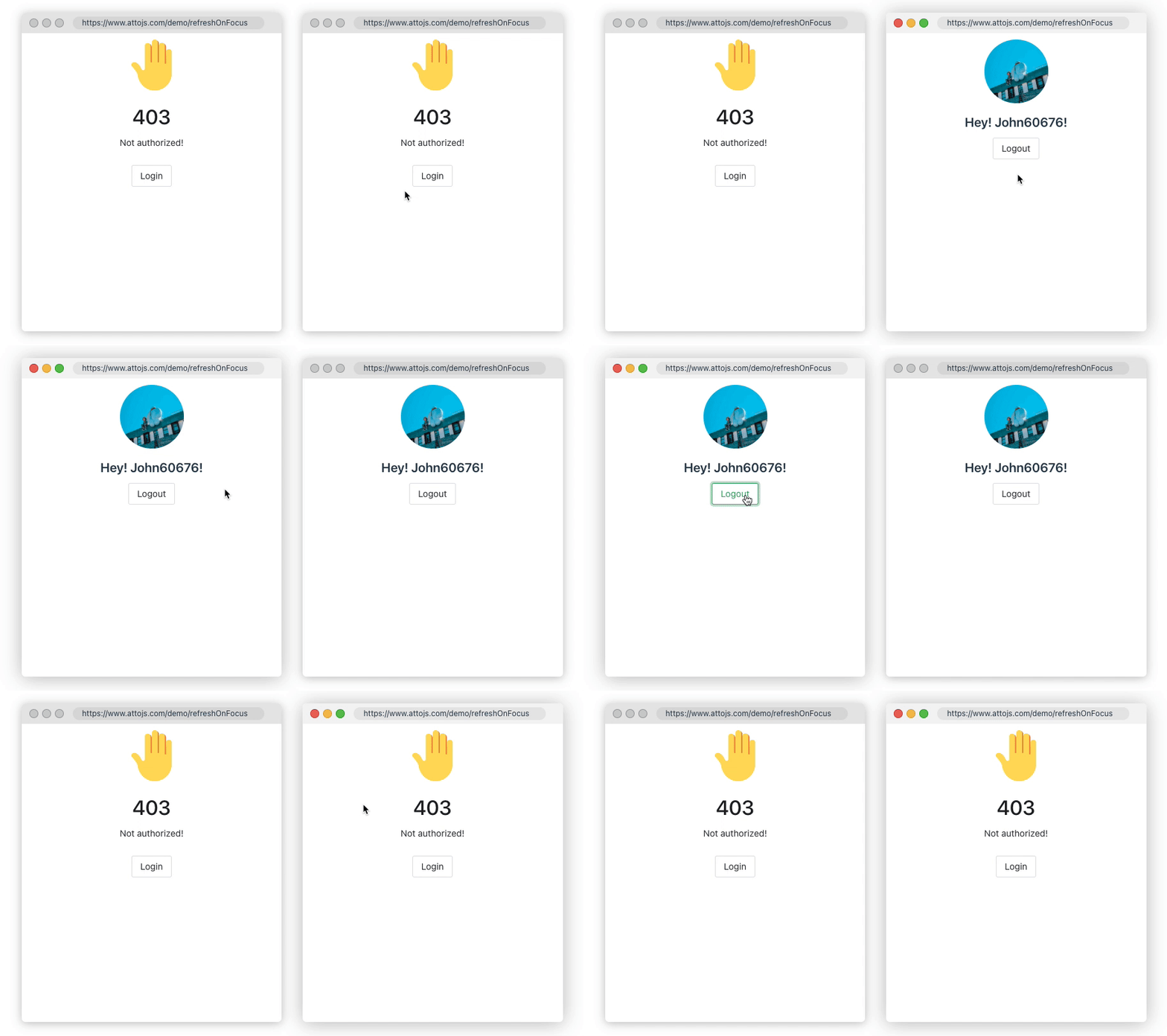
- Sometimes, you need to ensure data consistency between multiple browser windows; or when the user's computer is reactivated in the dormant state, the page data needs to be synchronized to the latest state. `refreshOnWindowFocus` may save you a lot of code. [Click here to go to the document](https://www.attojs.org/guide/documentation/refreshOnWindowFocus.html)
-
- ```ts
- const { data, error, run } = useRequest(getUserInfo, {
- refreshOnWindowFocus: true,
- refocusTimespan: 1000, // refresh interval 1s
- });
- ```
-
- 
-
- ### 2.Polling Data
-
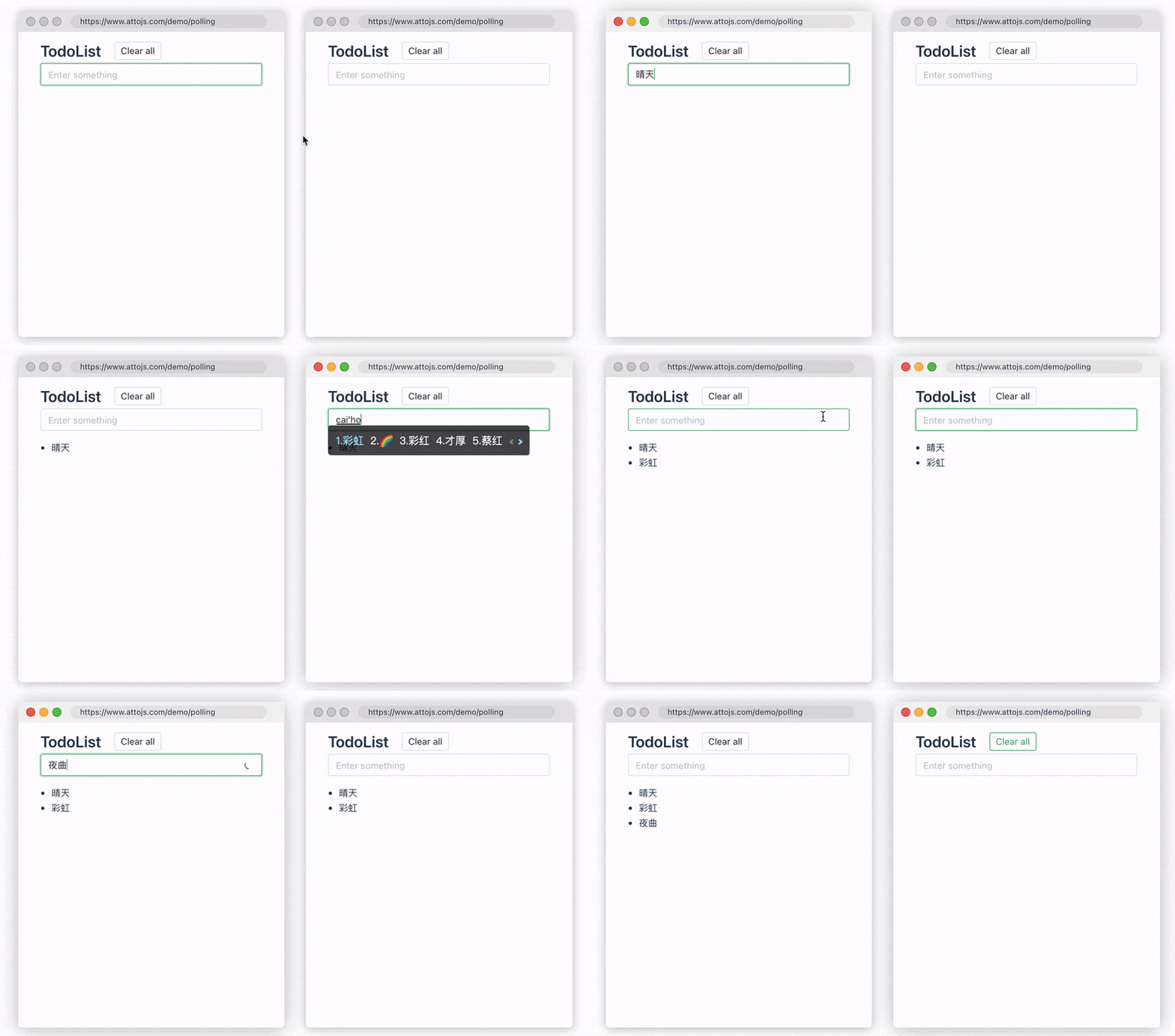
- Sometimes, you want to ensure that data is synchronized and updated between multiple devices. At this time, we can use the `pollingInterval` provided by us to periodically re-request the request API, so that the data consistency between multiple devices can be guaranteed. When the user modifies the data, the two windows will be updated simultaneously in real time. [Click here to go to the document](https://www.attojs.org/guide/documentation/polling.htm)
-
- ```ts
- const { data, error, run } = useRequest(getUserInfo, {
- pollingInterval: 1000, // polling interval 1s
- });
- ```
-
- 
-
- ## TODO List
-
- If you have any cool features, please submit an issue for discussion
-
- - [ ] Support Vue 2
- - [x] Documentation
- - [x] Pagination
- - [x] Load More
-
- ## Thanks
-
- Thank them for inspiring us.
-
- - [vercel/swr](https://github.com/vercel/swr)
- - [alibaba/hooks](https://ahooks.js.org/hooks/async#userequest)
-
- ## License
-
- [MIT License](https://github.com/AttoJS/vue-request/blob/master/LICENSE) © 2020-present [AttoJS](https://github.com/AttoJS)
|

